Search Tips
How to activate glove mode
This article explains how to make the touch screen more sensitive by activating glove mode, allowing users wearing gloves to able to interact with the display.
-
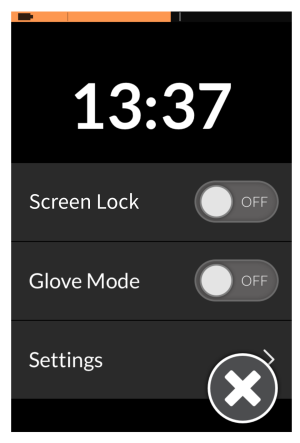
From the status and settings screen, tap on Glove Mode. When enabled, the slide button changes to ON.