 Search Tips
Touch screen components
Typically, the user interacts with the REM400 and REM500 through a function card. With a function card active, the touch screen includes the following components:
-
battery bar
-
status bar
-
function card (with header)
-
navigation button
-
function information
These components are described further in the table below.
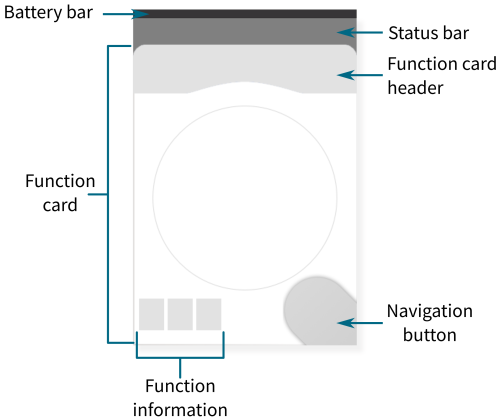
Figure 1: Typical screen components
Table 1: Typical screen components
|
Component |
Purpose |
Further information |
|---|---|---|

|
The battery bar provides information about the state of charge of the batteries. |
|

|
The status bar displays:
|
|
|
The navigation button:
|
|
|
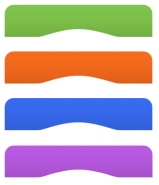
Function card header displays:
|
|
|
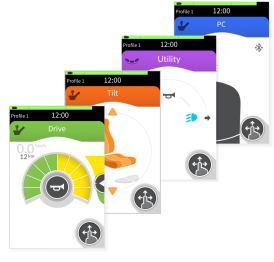
Function cards provide the user the means to observe and interact with the system. There are four types available: drive, seating, utility and connectivity. |
|

|
Function information displays icons relating to:
|